Time Clock: Easy Tracker
- 4.7
- Rating
- 1.00M
- Installs
- Free
- Price

 Analysis by App-foxy
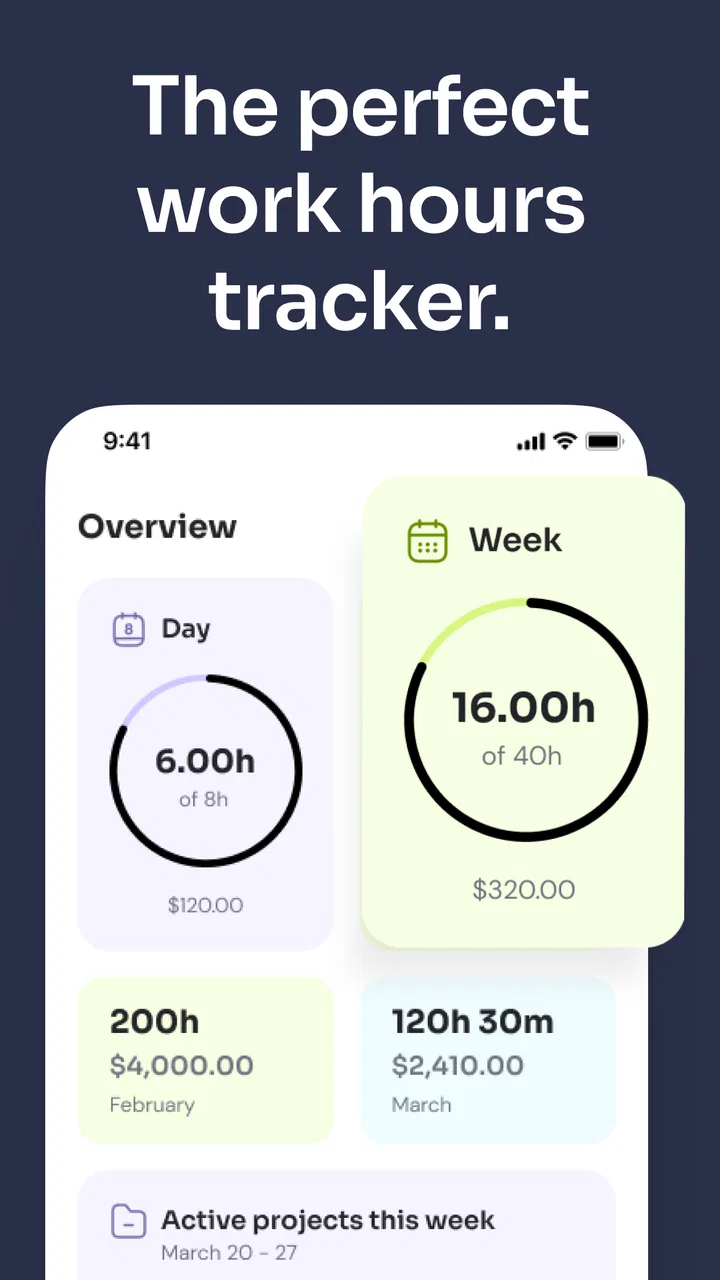
I like time-tracking apps that get out of the way, and Time Clock: Easy Tracker is built around that idea. It is a business app from Time Squared (TSQ Publishing Corp.) for recording work hours without turning a simple shift into an administrative project. After using it as a personal work-hours log, I found its main appeal easy to understand: you can clock in and out, or enter time cards manually when real life does not follow a neat routine.
That flexibility matters more than it first appears. A person with a regular workplace schedule can use it as a straightforward clock. A freelancer, contractor, student worker, or small-business owner may prefer adding hours afterward, especially when a meeting, commute, or client task makes it impractical to tap a button at the exact moment work begins. The app does not try to be a full project-management platform, and that is both its strength and its boundary.
My overall impression is that this is a practical personal time log, not a complete workforce-management system. If you want a quick way to remember when you worked and keep your records in one place, it is worth considering. If you need team approvals, complex billing rules, or deep payroll integration, I would look elsewhere.
You May Also Like

 Blood Strike: 2.5 Anniversary
Blood Strike’s Loadouts Turn Every Drop Into a Tactical Gamble
A close look at Blood Strike’s custom loadouts: how fast access to signature weapons reshapes its battle royale rhythm, rewards preparation, and narrows the gap between fights.

 Pandora - Music & Podcasts
Pandora’s Music Is Easy to Start, but Harder to Recover
Pandora’s strength is its low-effort path from a seed to a station. Its weak spot is how much confidence it asks you to place in connection, setup, and quiet recovery.

 8 Ball Pool
 Is Built on Rivalries, Rematches, and Routine
A close look at the rivalries, rematches, shared routines, and unanswered safety questions that turn a quick pool match into a persistent mobile community.

 Samsung Music
’s Quiet Strength Is Playing What You Already Own
Its reach comes less from spectacle than from dependable access to a personal library. That simplicity is both the app’s strongest retention engine and its ceiling.

 AccuWeather: Weather Radar
AccuWeather Review: A Quick, Clear Forecast for Everyday Decisions
For everyday plans, the best forecast is the one you can understand quickly. AccuWeather makes rain timing, radar, and local conditions easy to act on, with a few trade-offs.

 Hill Climb Racing
Why Hill Climb Racing Still Turns Crashes Into One More Run
A tiny car, a bumpy hill and one more upgrade: Hill Climb Racing keeps resurfacing because its simple chaos makes every near-miss feel personal.
More From Our News Desk



How the everyday clock-in workflow feels
The most natural way to use the app is to make it part of the beginning and end of your workday. Open it when you start, clock in, and return when you finish to clock out. That basic habit is simple enough for a fixed shift, but it also works for people who split their day into separate work periods. Instead of trying to reconstruct the entire week from memory, you create a record while the event is still fresh.
Manual time-card entry is the more useful option for irregular schedules. Imagine a freelance designer who answers client messages during breakfast, works on a presentation in the afternoon, and finishes revisions later at night. A conventional punch clock can make that day awkward. Adding the time cards afterward gives the user a way to represent the actual work pattern instead of forcing everything into one continuous block.
I also found that the app suits people who work away from a conventional office. A tradesperson moving between appointments, a tutor with changing sessions, or a remote worker who occasionally forgets to start the timer can still keep a usable record. The important discipline is to decide whether you are tracking live or entering time later. Switching randomly between both methods can create gaps or duplicate entries.
For a reliable routine, I would use one method as the default and reserve the other for exceptions. For example, clock in and out during normal shifts, then use manual entries only when you missed a punch. That makes unusual records easier to spot when you review them. If your schedule is always irregular, manual cards may actually be cleaner than pretending a live clock is practical.
A realistic workday example
Consider someone who works from home and has a short paid shift in the morning, a long break for family responsibilities, and another work session later. With a single start-and-stop habit, that person might accidentally count the break as working time. Separate clock-in periods or separate time cards keep the record closer to reality. The app is most helpful when you treat each work period as a distinct event rather than editing one vague total at the end of the week.
That approach also helps when you need to explain your own hours later. A daily record is more useful than a total that has lost its context. I would still check entries before submitting them to an employer or client, because a time tracker can preserve what you enter, but it cannot know whether a forgotten pause should have been included.
The app is free to install and is suitable for Everyone. It has been available since January 14, 2019, and its current version is 3.4.1658. Those details suggest a mature utility rather than a brand-new experiment, while the broad age rating makes it approachable for ordinary personal use.
Settings and habits worth checking before relying on it
The first setting-related habit I recommend is to make the app match your real work pattern before you begin collecting a month of records. Look through the available options and decide how you want to handle recurring work, breaks, and manual corrections. Even when an app is easy to operate, the accuracy of the final record depends heavily on those early choices.
I would also check how the app presents dates and time entries on your device, particularly if you work late at night or across a day boundary. An evening shift that ends after midnight is easy to misread if you only glance at the displayed date. This is not a reason to avoid the app; it is a reason to review overnight entries carefully instead of assuming the calendar has interpreted your shift the way you intended.
Another useful setup decision is separating work categories in your own routine, if your version of the app allows you to organize records that way. Keep client work distinct from internal administration, or separate paid employment from a personal side project. The value is not merely visual. When you later total your time, categories can prevent you from presenting unrelated hours as one undifferentiated block.
I would avoid creating more labels than you can maintain. A complicated naming scheme sounds precise but becomes a burden on a busy day. A few meaningful distinctions are better than a long list that encourages rushed or inconsistent entries. This is one of the app’s trade-offs: its simplicity invites a clean workflow, but the user has to provide the structure.
Reviewing records instead of trusting memory
One of the strongest habits for any time-card app is a short review at the end of each workday. I would check the first and last entry, look for an unusually long gap, and confirm that the day is marked the way I expect. This takes much less effort than trying to rebuild an entire pay period after several forgotten punches.
A weekly review is useful for a different reason. Daily checking catches mistakes while they are easy to remember; weekly checking shows patterns. You may discover that you regularly forget to clock back in after lunch, or that you consistently enter time late on certain days. Once you know the pattern, you can change the habit rather than repeatedly correcting the same error.
For people who bill by time, I would treat the app as a working record, not automatically as the final invoice. Before charging a client, compare the time cards with your calendar, task notes, or appointment history. That extra step is especially important when a client requires a particular rounding or billing convention. A personal tracker can help you capture the hours, but the client’s rules still determine how those hours should be presented.
Faster patterns experienced users can build
The quickest users are not necessarily the ones who tap fastest. They are the ones who reduce the number of decisions they need to make. I would create a repeatable start-of-work ritual: open the app, clock in, and begin the task. At the end, clock out before switching to personal activities. Linking the action to an existing routine is more dependable than hoping you will remember later.
For manual entry, keep a small note of start and finish times during the day if you know you will be away from the app. Entering several cards in one sitting is reasonable, but relying on memory for exact times is not. A quick note made at the moment gives you a much stronger source than a guess made days afterward.
Another efficient pattern is correcting mistakes immediately. If you notice that a start time is wrong, fix it while you still know what happened. Delaying every correction until the end of the week creates a second job: investigating your own history. I prefer a short daily cleanup because it keeps the record understandable and reduces the chance of correcting the wrong day.
Use the app’s simplest path for ordinary days and reserve detailed organization for situations where it genuinely helps. If every shift has the same purpose, do not add unnecessary distinctions. If your work involves several clients or types of paid activity, then a little structure can make the records more useful. The right balance depends on whether you need a personal memory aid or a defensible work report.
When manual cards beat live tracking
Live clocking feels more accurate, but it is not always the better workflow. People who move between locations, share devices, work in areas with interruptions, or cannot use their phone during a shift may find manual cards more dependable. In those cases, the important thing is to record the event consistently, not to force the app into a real-time role it cannot practically fill.
Manual entry is also valuable when reconstructing a missed day. I would first gather the surrounding evidence, such as a calendar appointment or a task note, then enter the time card and mark it mentally as a correction that deserves review. That is more honest than treating an estimated entry as if it had been captured live. The app can remain useful even when the ideal workflow failed, provided you distinguish routine records from repaired ones.
There is a trade-off, though. Manual cards are faster for irregular work but easier to misremember. Live tracking captures the moment more naturally but depends on a reliable habit. Time Clock: Easy Tracker gives you both approaches, so the best choice is not a universal setting; it is the method that fits the way your workday actually behaves.
Where the app reaches its limits
The app’s focused design is not a substitute for a larger business platform. I would not choose it as the central system for a company that needs supervisors to approve hours, employees to submit formal timesheets, or payroll staff to manage a shared workforce. A personal tracker can record your hours, but organizational workflows usually require permissions, shared visibility, audit trails, and export or integration options that go beyond a simple clock.
It is also not the best match for project-heavy freelancers who need to connect every minute to tasks, milestones, invoices, and client portals. A dedicated project timer may provide a better relationship between activity and billing. If your main question is “How long did I spend working today?”, this app makes sense. If your question is “Which deliverable consumed the budget, and what should the client be invoiced for?”, a more specialized tool is likely worth the extra complexity.
Users with complicated overtime, split-shift, holiday, or rounding rules should be cautious. The app may help you capture the underlying hours, but you should not assume that a simple time card automatically calculates every workplace policy correctly. Before relying on it for payroll, compare its results with the rules you are required to follow and verify unusual days manually.
There is also a cost consideration despite the free entry point. The app is free, but it includes in-app purchases ranging from $0.99 to $179.99 per item. That does not make it a poor choice, but I would review any purchase screen carefully and decide whether the added capability is relevant to your workflow. For someone who only needs a basic personal record, paying for extras may not be necessary.
Device support is another practical point. The minimum operating-system requirement is Android 7.0, so people using older Android hardware should check compatibility before planning around it. On a supported device, the app’s modest purpose is an advantage: you are less likely to spend time learning a large system when all you need is a dependable record of work periods.
Who should use it and who should skip it
I would recommend Time Clock: Easy Tracker to an individual worker who wants a simple way to capture hours, especially when the schedule changes from day to day. It is also a good fit for someone who wants a backup record before transferring totals into another system. The combination of live clocking and manual time cards gives it more flexibility than a stopwatch that only works when you remember to start it.
It may suit a small operator who manages their own hours and does not need a team dashboard. A cleaner personal workflow can be more valuable than a long list of enterprise features that never get used. The app’s average rating is 4.7 from around 24 thousand ratings, and it has more than a million installs, which fits the impression of a widely used, approachable utility rather than a niche specialist product.
I would skip it if your employer requires an official attendance system, if several people must edit the same schedule, or if your billing process depends on detailed project reporting. I would also choose another tool if you frequently need automated calculations for complex labor policies. In those situations, the extra structure of a workforce or project-management product is justified.
The deciding question is simple: do you need to remember and organize your own work hours, or do you need a system that governs other people’s hours? This app is much better at the first job. Trying to make it perform the second could create more manual work than it saves.
My final view after building a repeatable routine
Time Clock: Easy Tracker works best when you treat it as a small daily instrument. Clock in for ordinary shifts, use manual cards when your schedule makes live tracking impractical, and review entries before they become old enough to question. That routine brings out the app’s real value: it reduces the mental effort of remembering work hours without demanding that you redesign your entire business process.
I especially like the choice between immediate clocking and later entry. It acknowledges that workdays are messy, while still giving the user responsibility for keeping records accurate. The most effective setup is not the one with the most categories or the most frequent adjustments. It is the one you can repeat on a busy day without hesitation.
My reservations are equally clear. This is not the right tool for shared workforce administration, advanced payroll logic, or detailed project accounting. Its free price makes it easy to try, but the in-app purchase range means I would inspect optional upgrades rather than assume every user needs them. Those limits do not undermine the core experience; they define it.
For a person who wants a straightforward business utility on Android, this app is an easy recommendation. I would install it, choose either live tracking or manual cards as my main method, establish a quick daily review, and test it against one complete work cycle before trusting it for billing or payroll. Used within that scope, Time Clock: Easy Tracker is pleasantly uncomplicated and flexible enough for real working days.
FAQs for Time Clock: Easy Tracker
01What features does Time Clock: Easy Tracker offer?
Time Clock: Easy Tracker provides a range of features designed to enhance productivity, including real-time tracking, automatic timesheet generation, and project management tools. Users can also benefit from integrations with popular productivity apps, making it a versatile solution for freelancers and teams alike.
02Is Time Clock: Easy Tracker suitable for teams?
Yes, Time Clock: Easy Tracker is ideal for both individuals and teams. It offers features like team collaboration, project monitoring, and performance analytics. Managers can assign tasks, track team progress, and generate reports, ensuring efficient workflow and resource management.
03How user-friendly is the Time Clock: Easy Tracker interface?
Time Clock: Easy Tracker boasts an intuitive and user-friendly interface. The dashboard is straightforward, allowing users to easily navigate between tasks, projects, and reports. The app's design caters to both tech-savvy users and those who prefer simplicity, ensuring a smooth experience for all.
04Does Time Clock: Easy Tracker support mobile devices?
Absolutely, Time Clock: Easy Tracker is available on both Android and iOS platforms. The mobile app allows users to track time, manage tasks, and access reports on the go, ensuring productivity doesn't drop when away from a desktop. Syncing across devices is seamless and efficient.
05Are there any subscription costs associated with Time Clock: Easy Tracker?
Time Clock: Easy Tracker offers both free and premium plans. The free version includes basic features suitable for individual users, while the premium plan provides advanced functionalities like team management and enhanced reporting for a monthly or annual fee. Users can choose based on their specific needs.
Pros
- User-friendly interface for quick setup.
- Accurate time tracking for projects.
- Integrates with popular software tools.
- Customizable reports for detailed insights.
- Supports multiple languages.
Cons
- Limited offline functionality.
- Basic features in free version only.
- Occasional sync issues reported.
- No GPS tracking in the app.
- Mobile notifications can be intrusive.

Time Clock: Easy Tracker
Gallery